Turning sales conversations into actionable intelligence
An agentic AI assistant for sales managers at a grain trading platform, designed to cut through information overload and surface what matters, when it matters.
Grain trading platform
Solo Product Designer, end-to-end
6 months
AgriTech / Commodity trading
Figma, Dovetail, FigJam
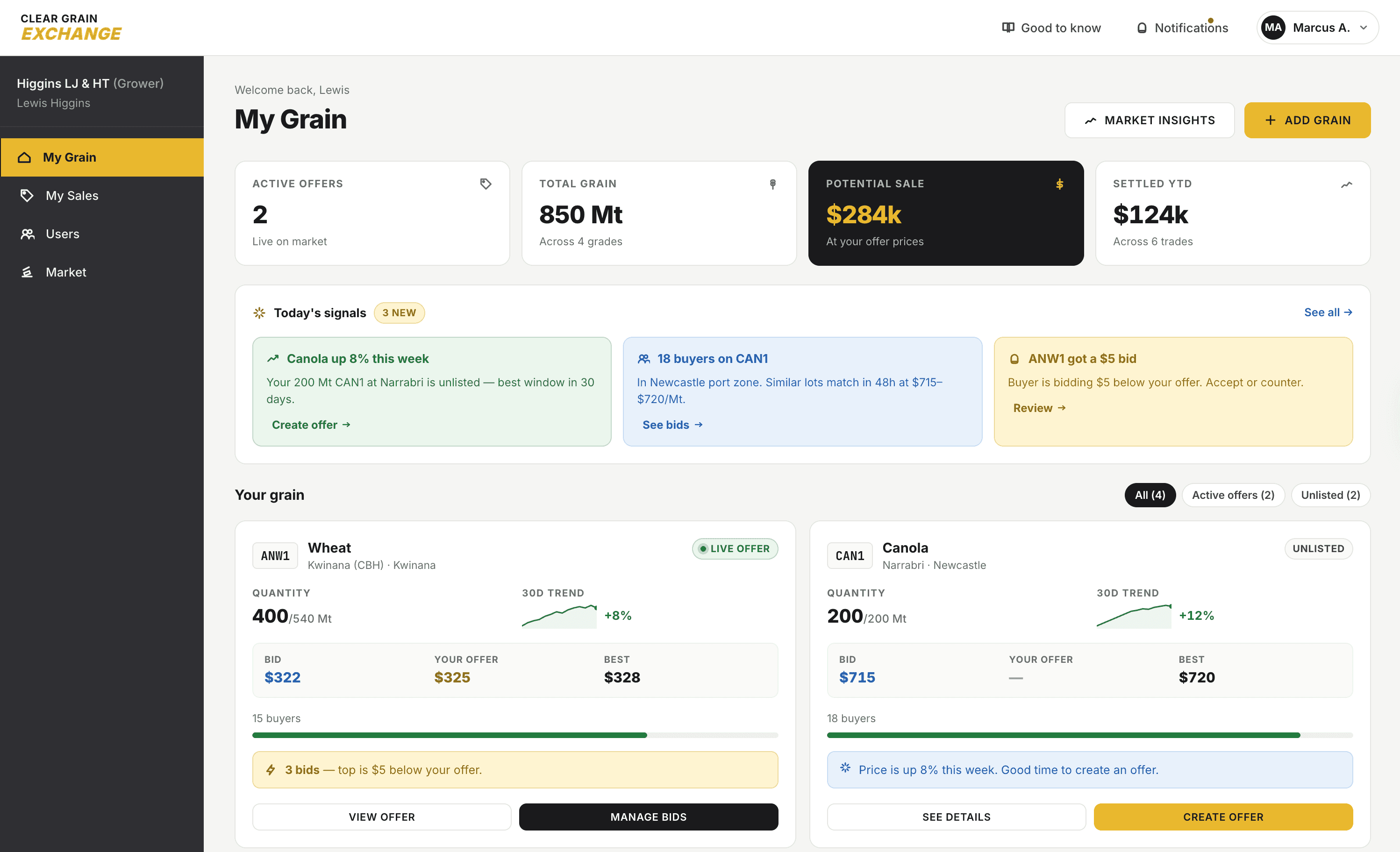
A grain trading platform connecting farmers with buyers, agents, and storage providers. The exchange ran on trust, price transparency, and speed.
The internal sales managers were drowning.
Every call, every offer, every disputed trade lived inside an informal Slack channel called #sales-op. Forty updates a day from a single team, unstructured and unsearchable. Critical signals buried in noise.
Someone mentioning they had canola ready to list got lost under forty other messages. That was a missed trade. An unresolved grain transfer issue went three days without a follow-up. That was a damaged relationship.
The data that could have powered the sales team was already being generated. It just wasn't working for them.
Solo designer, start to finish.
Research with sales managers, persona definition, competitive review, user flows and information architecture, hi-fi prototypes, moderated usability testing with five participants, handoff to engineering.
This was my first AI-native product. Which meant the hardest decisions weren't about UI, they were about what the AI should surface, when, and how much autonomy to give it.

What the research revealed
Shadowing the workflow before designing
Before opening Figma, I needed to understand how sales managers actually worked, not how we thought they worked.
I ran moderated interviews and workflow observation sessions with active sales managers. Shadowed the end-to-end flow from a grower calling in with grain to offer, through the Slack logging, through follow-up. Mapped where time was lost and where signals got dropped.
The insight that reframed the project
The Slack channel was already functioning as an informal CRM.
It was rich with relationship signals, market data, operational context. The data existed. What was missing was a layer that could read it, synthesise it, and surface it in a usable form.
That changed the brief. The project was no longer 'build a new tool.' It was 'build an intelligence layer on top of the tool they already used.'
One persona, four pain patterns
Research consolidated around a primary user: a sales manager responsible for a portfolio of growers, needing guidance on when and how to list. The pain patterns were consistent across participants.
Overwhelmed by manual admin. Struggled with follow-up timing and personalisation. Couldn't extract insights from their own communication logs. Had no visibility into individual or team performance without compiling data manually.
Four jobs, one product needed to do them all.
Key choices that shaped the outcome
Chose the dashboard over the chatbot
Early exploration included a conversational AI interface. The user asks, the AI answers.
I moved away from it.
A chatbot requires the user to know what to ask. A sales manager at the start of a busy day doesn't want to formulate questions. They want the important things to surface automatically.
Pull interfaces put cognitive load on the user. We needed push.
The dashboard does the curation. The AI reads everything, decides what matters, and puts it where the user will see it. The user stays in control, approve, dismiss, or act, but the heavy lifting of triage is offloaded.
Made traceability non-negotiable
Every AI-generated item on the dashboard needed a visible source. Which Slack message generated this reminder. Which call log produced this draft email. Which team member was on the conversation.
Without traceability, sales managers wouldn't act on AI suggestions regardless of how good they were. Trust in AI output is built through transparency, not confidence scores.
Every draft I designed carries its source link. Every reminder shows the original message. Every flagged grower issue shows the history. The AI has opinions, but the user can always check its work.
Designed onboarding around context, not features
For an AI assistant to deliver relevant value from day one, it needs to understand the user's business. A generic product tour wouldn't do that.
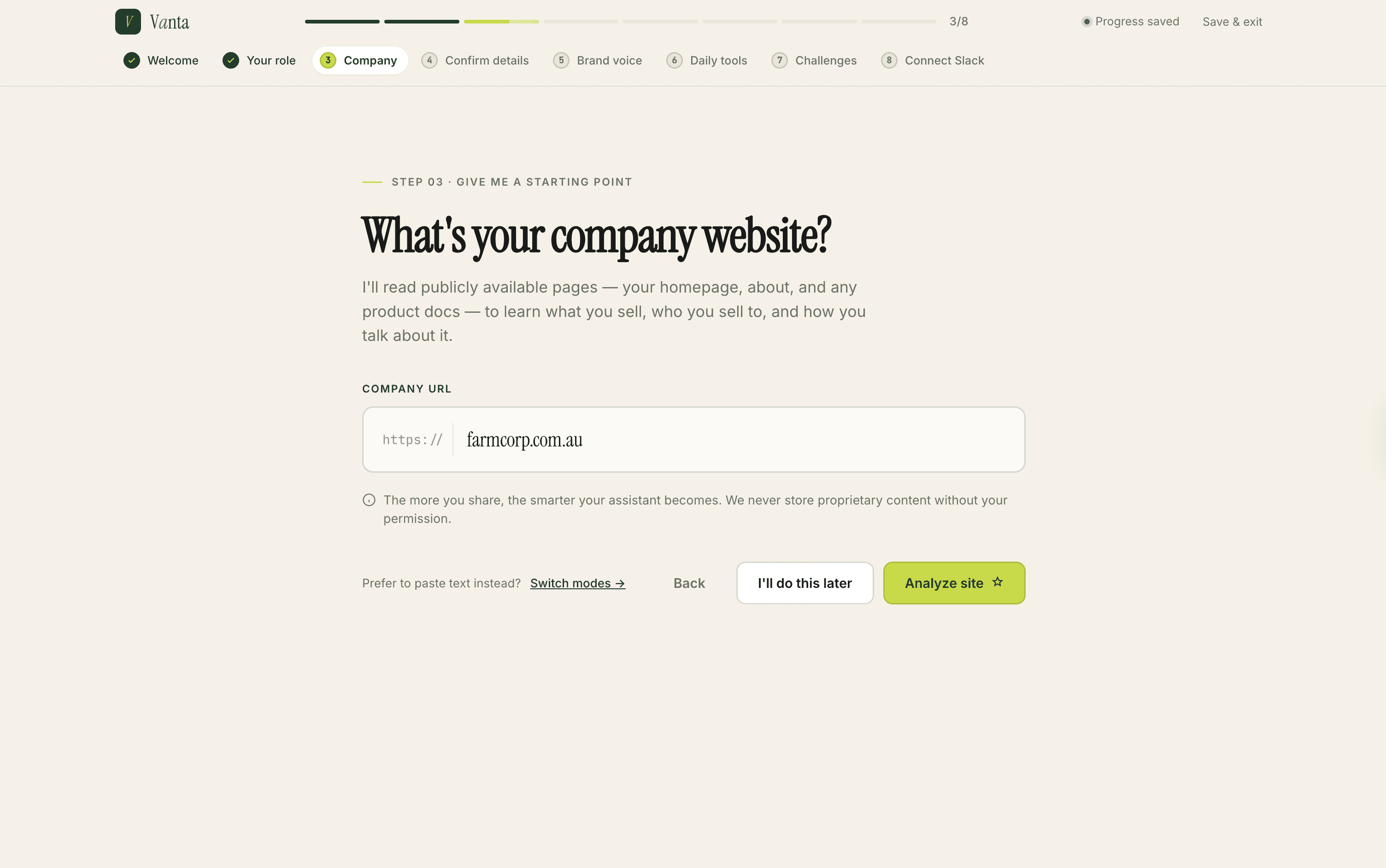
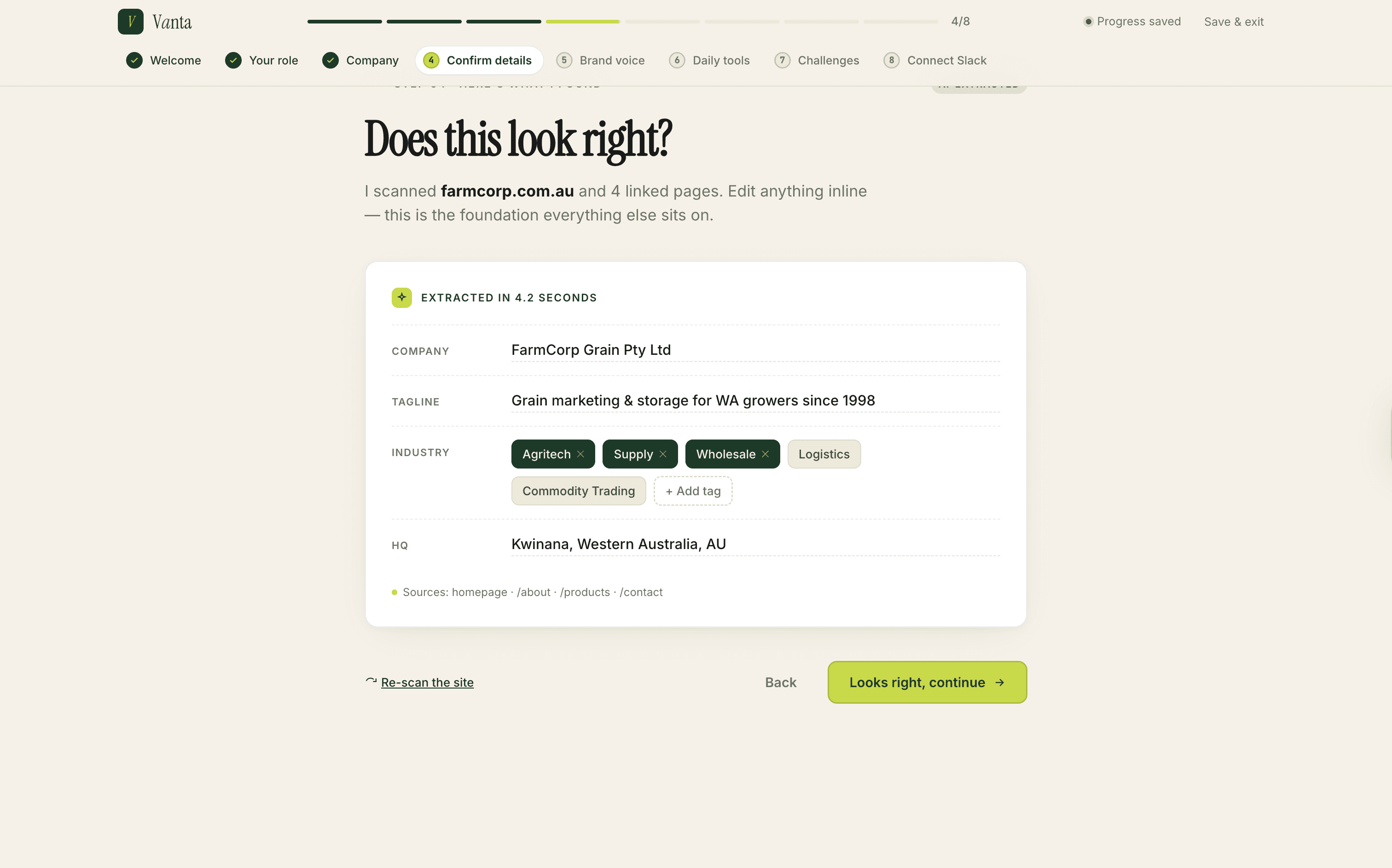
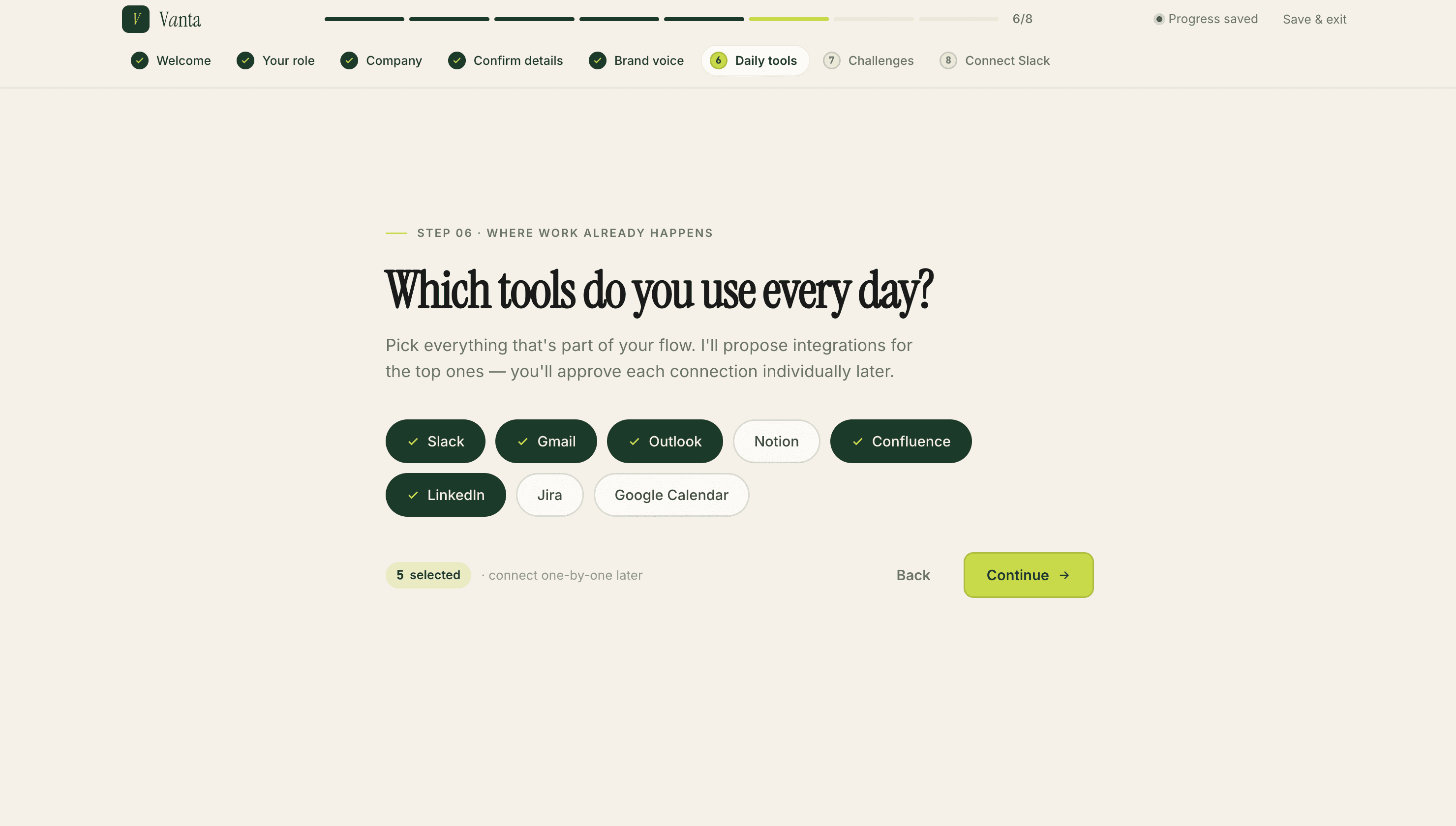
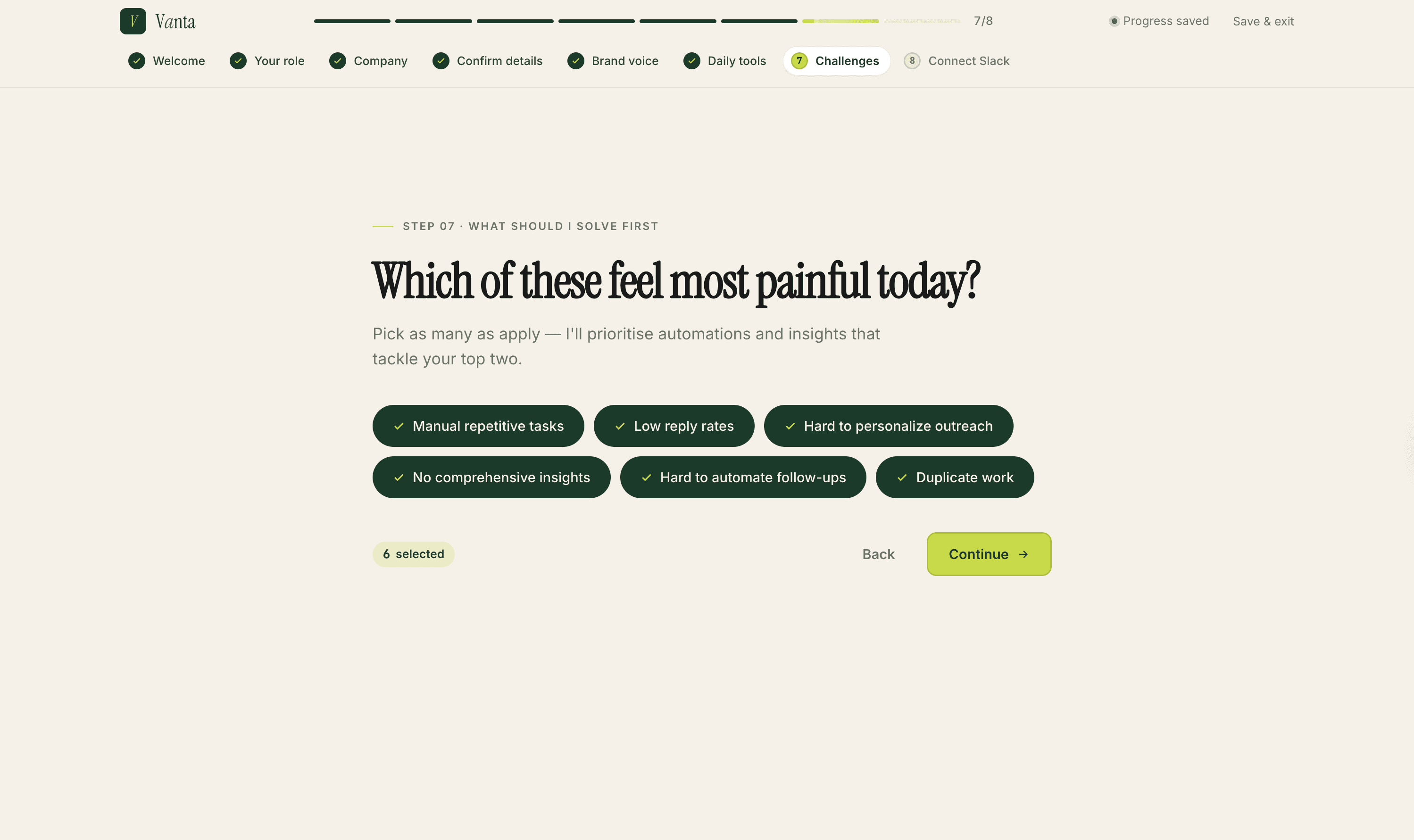
Instead, the onboarding flow is a context-gathering session. It extracts company context from a website URL, auto-populating industry tags. It establishes role and tool integrations, where Slack is the critical connection. It captures specific pain points so the dashboard can prioritise accordingly.
By the end of onboarding, the AI already knows enough to be useful on screen one. The user didn't spend that time reading marketing copy, they spent it teaching the system about themselves.
The full onboarding sequence is shown in Pillar 5 of the solution.
How we built it
Five pillars make the product work.
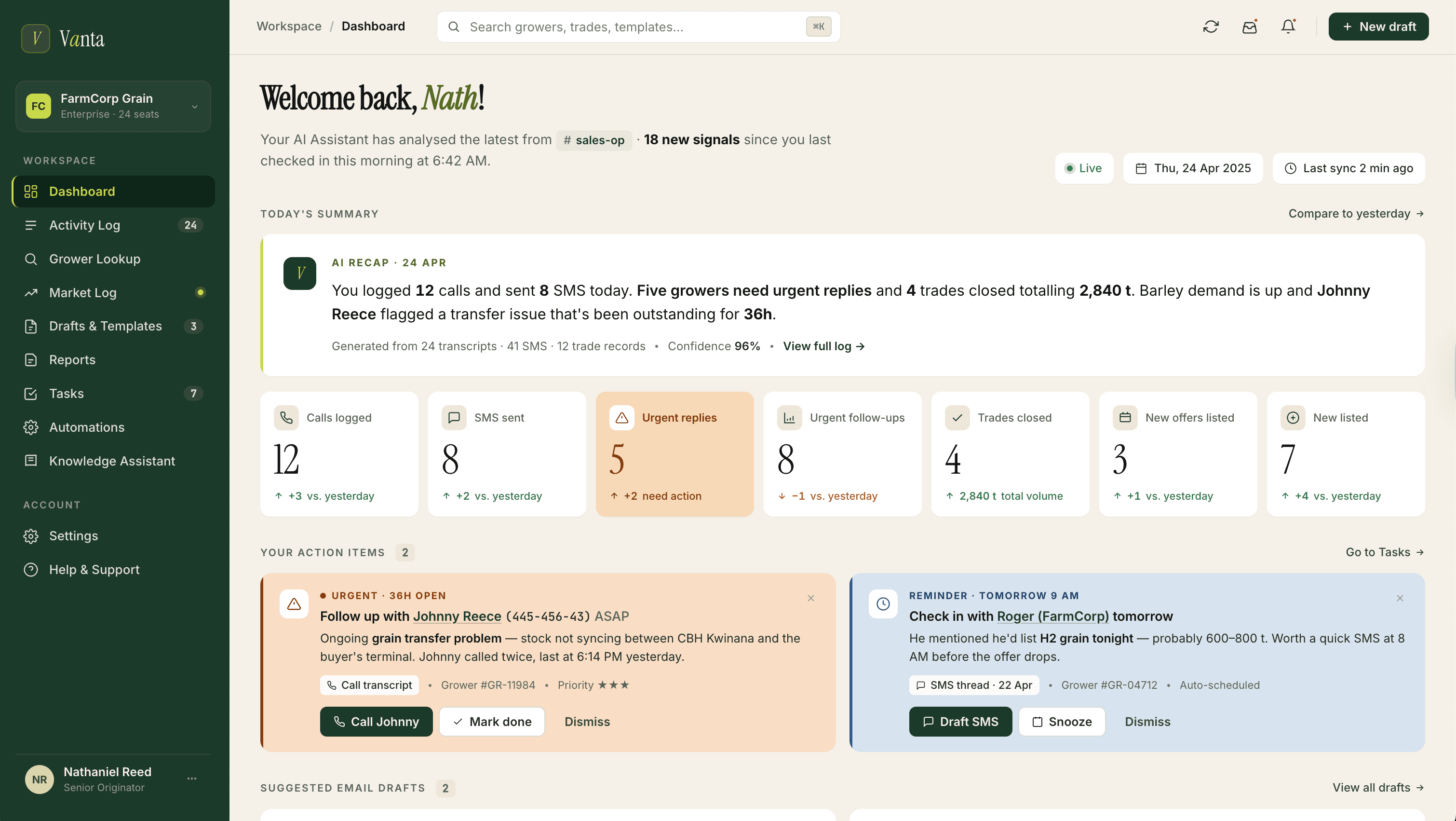
Pillar 1: Proactive daily dashboard
The first screen after login shows what happened since last session.
A summary captures the volume and nature of team activity. Below it, Action Items surface urgent follow-ups, reminders, and AI-suggested email drafts, ready to approve or dismiss.
The AI distinguishes between urgent (red) and reminders (blue). Both include direct links to the original Slack message for context.
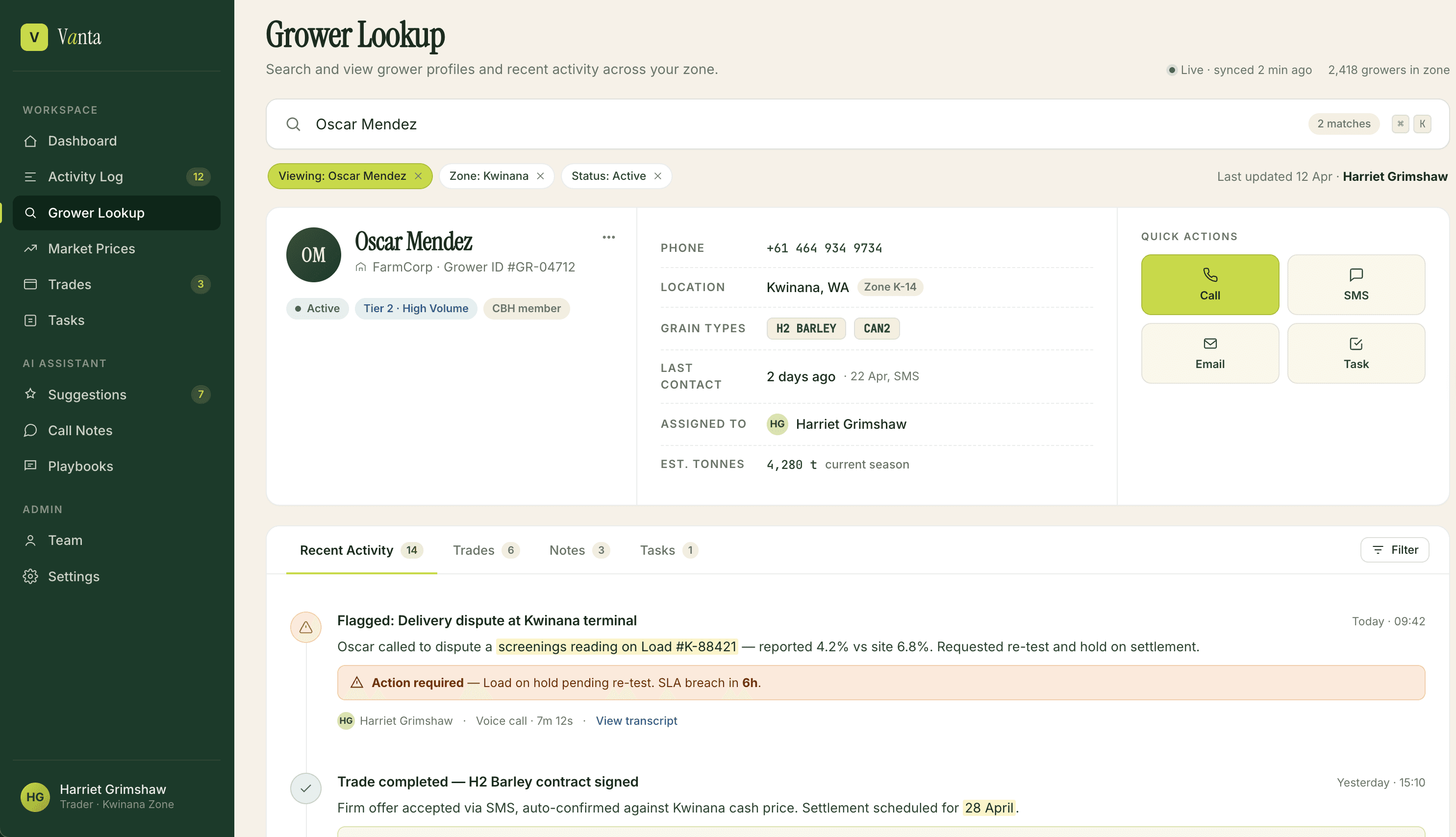
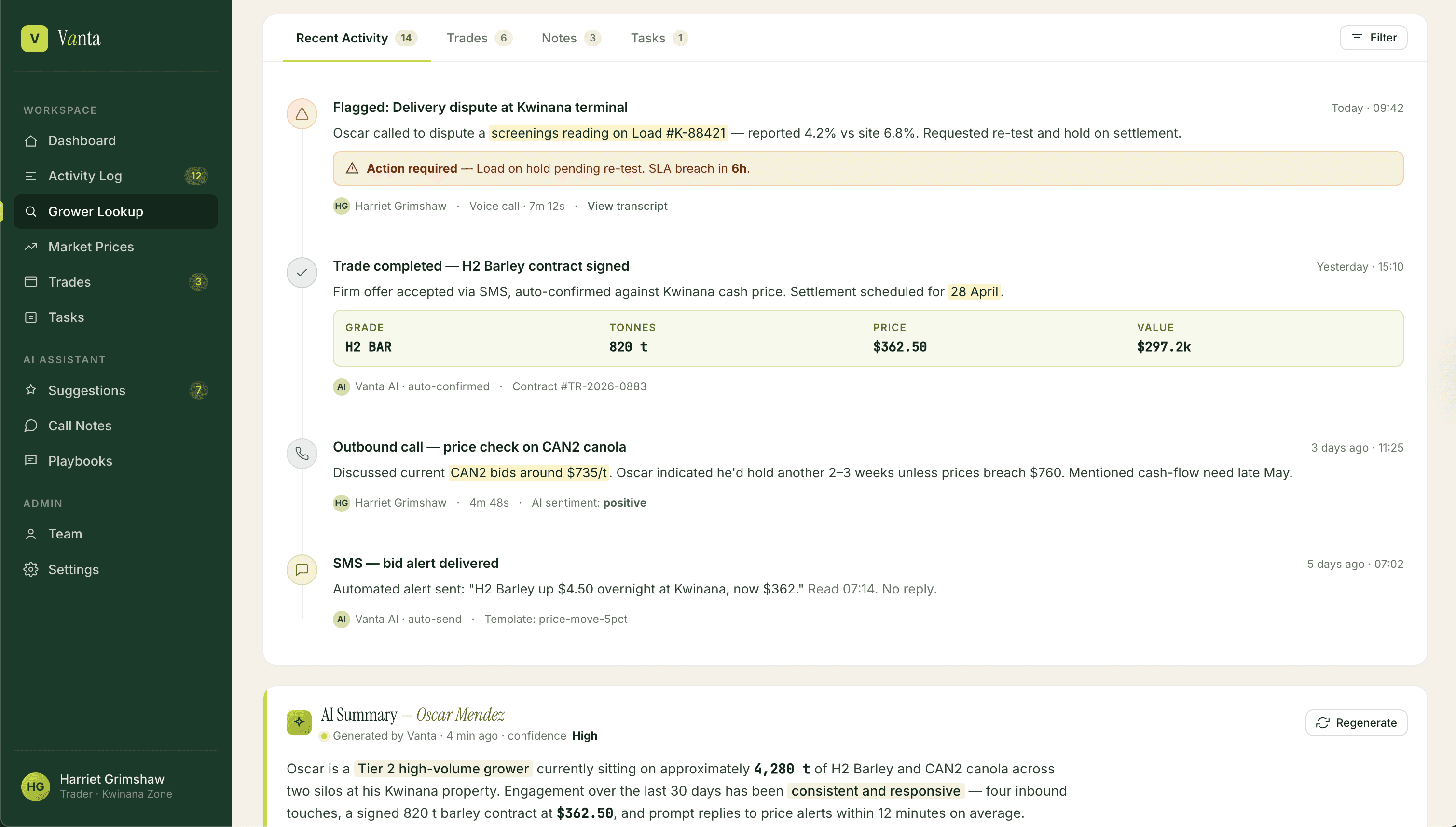
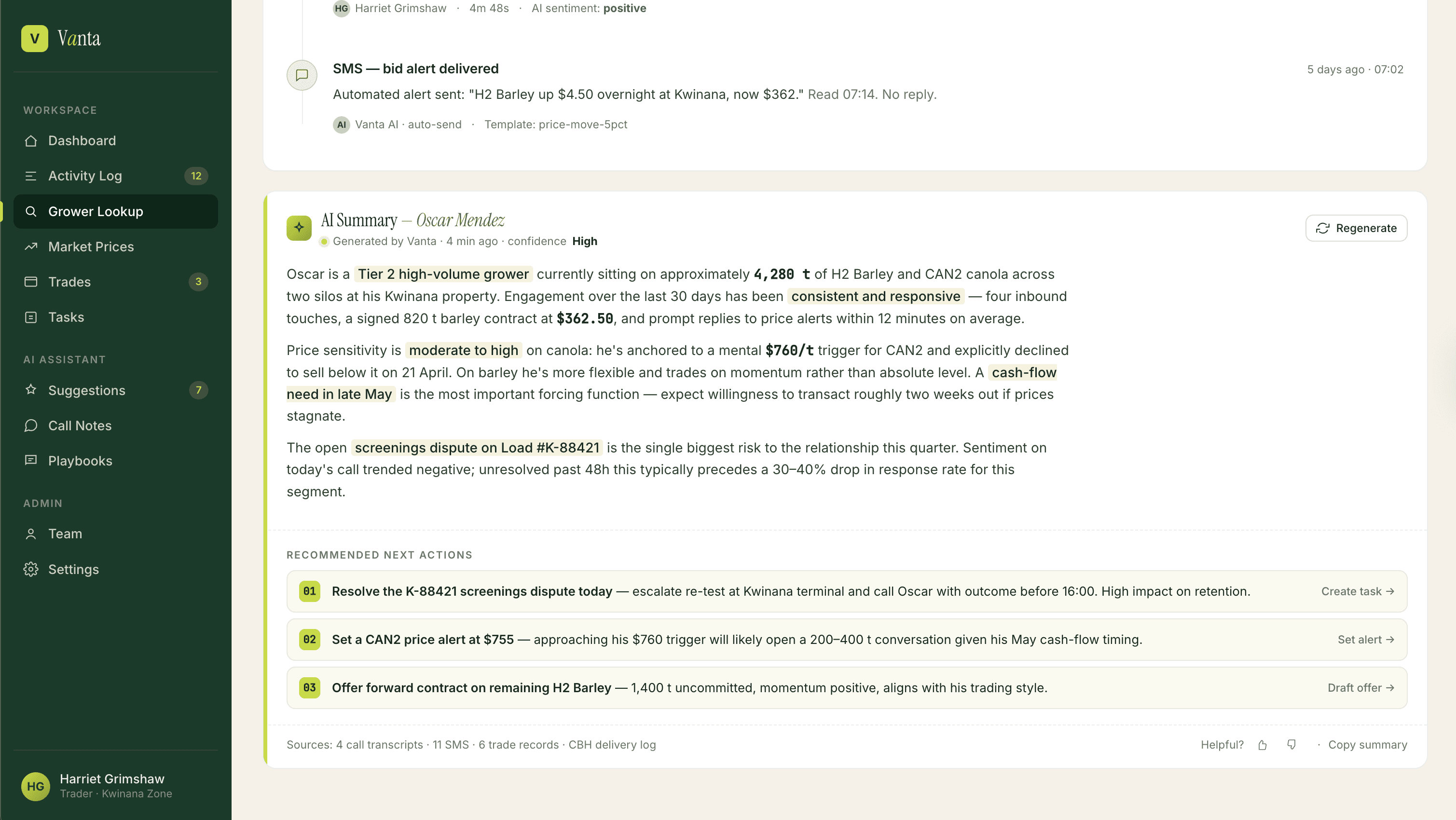
Pillar 2: Activity log and grower intelligence
The Activity Log transforms raw Slack entries into structured, searchable records. Each interaction is parsed for type: call, SMS, offer, issue, tagged with the relevant grower, grain grade, and topic.
Recurring issues get flagged across entries. When a grower mentions the same problem three times in a month, that pattern is visible. Any entry can be escalated into a follow-up task with one click.
Pillar 3: AI-generated draft outreach
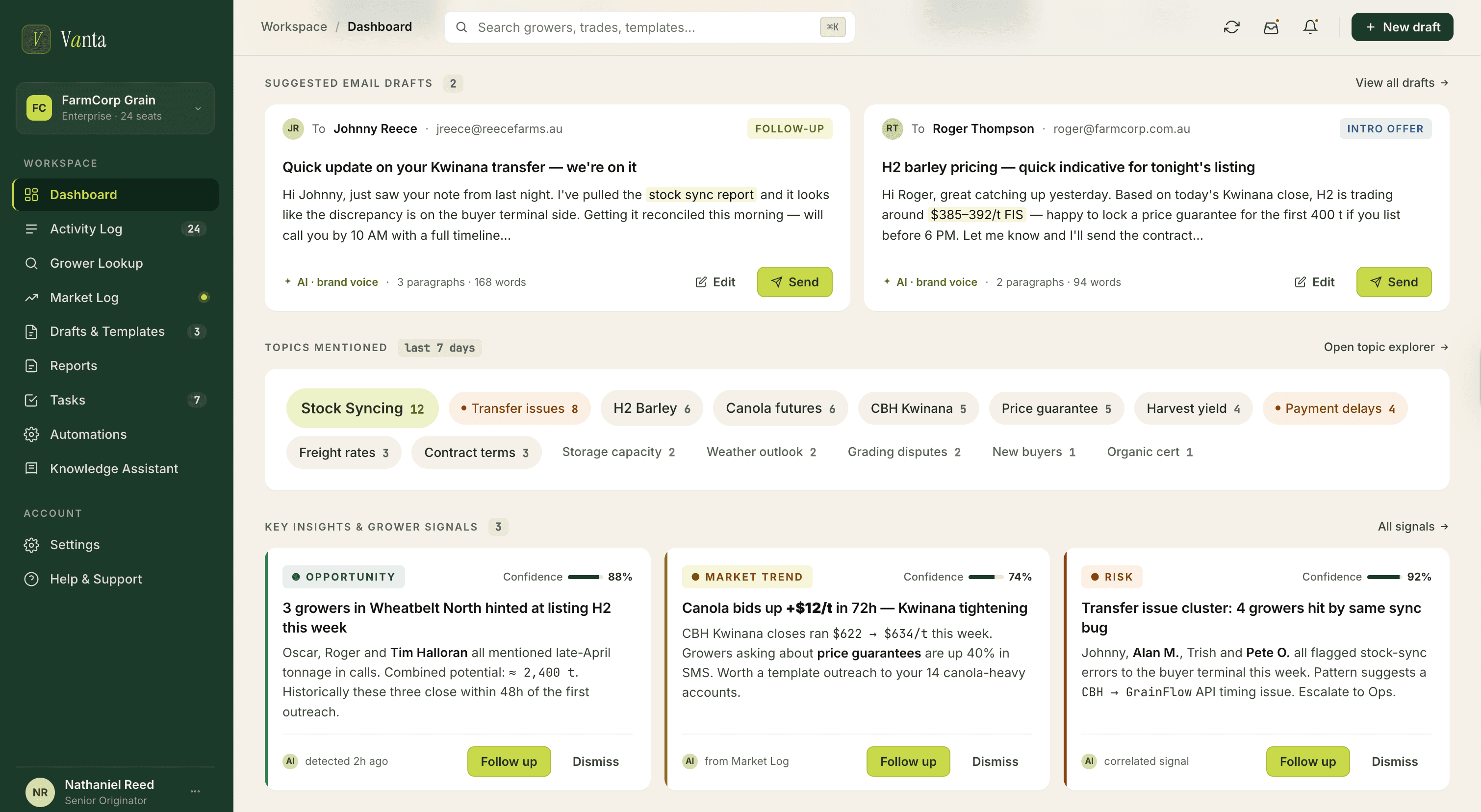
The Drafts section is where the AI's outreach suggestions land.
After reading a call log, the AI generates a context-appropriate follow-up. An email about an H2 bid. An SMS to nudge a grower on listing. A resolution message for a frustrated customer.
Every draft shows its source: which log entry generated it, when, from whose call. The sales manager can edit to personalise, copy to use elsewhere, or save as template. Accountability and authorship stay with the team member who had the original conversation.
Pillar 4: Market signal surfacing
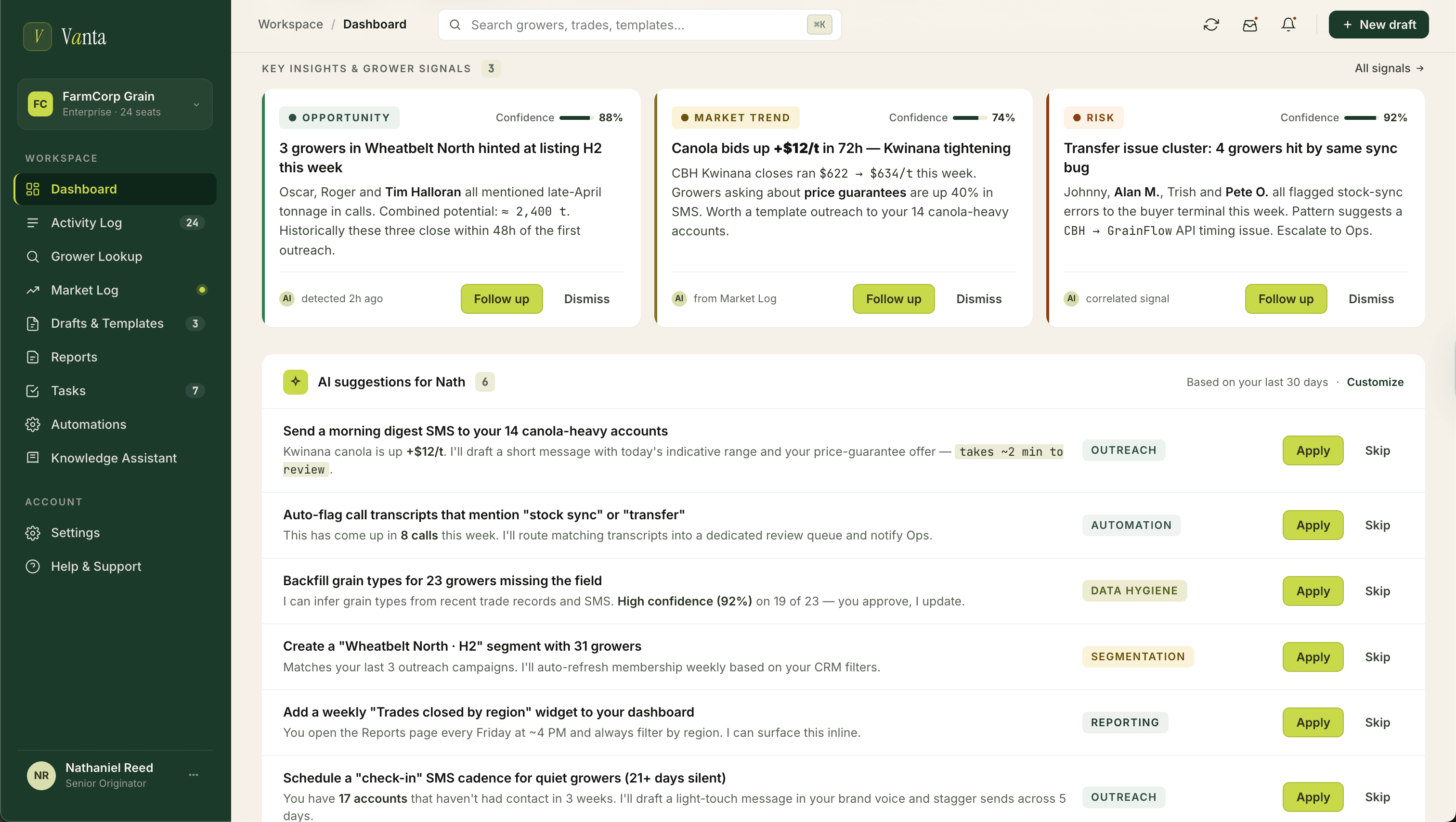
Beyond individual interactions, the AI tracks patterns across all team activity to surface market-level signals.
Topic clusters emerge from the last seven days. Stock syncing mentioned 12 times. Transfer issues 8 times. H2 Barley 6 times. Each is a link to the underlying entries.
Below that, AI Suggestions cross-reference individual grower data with market signals to generate specific recommendations, each categorised by type.
Pillar 5: Context-first onboarding
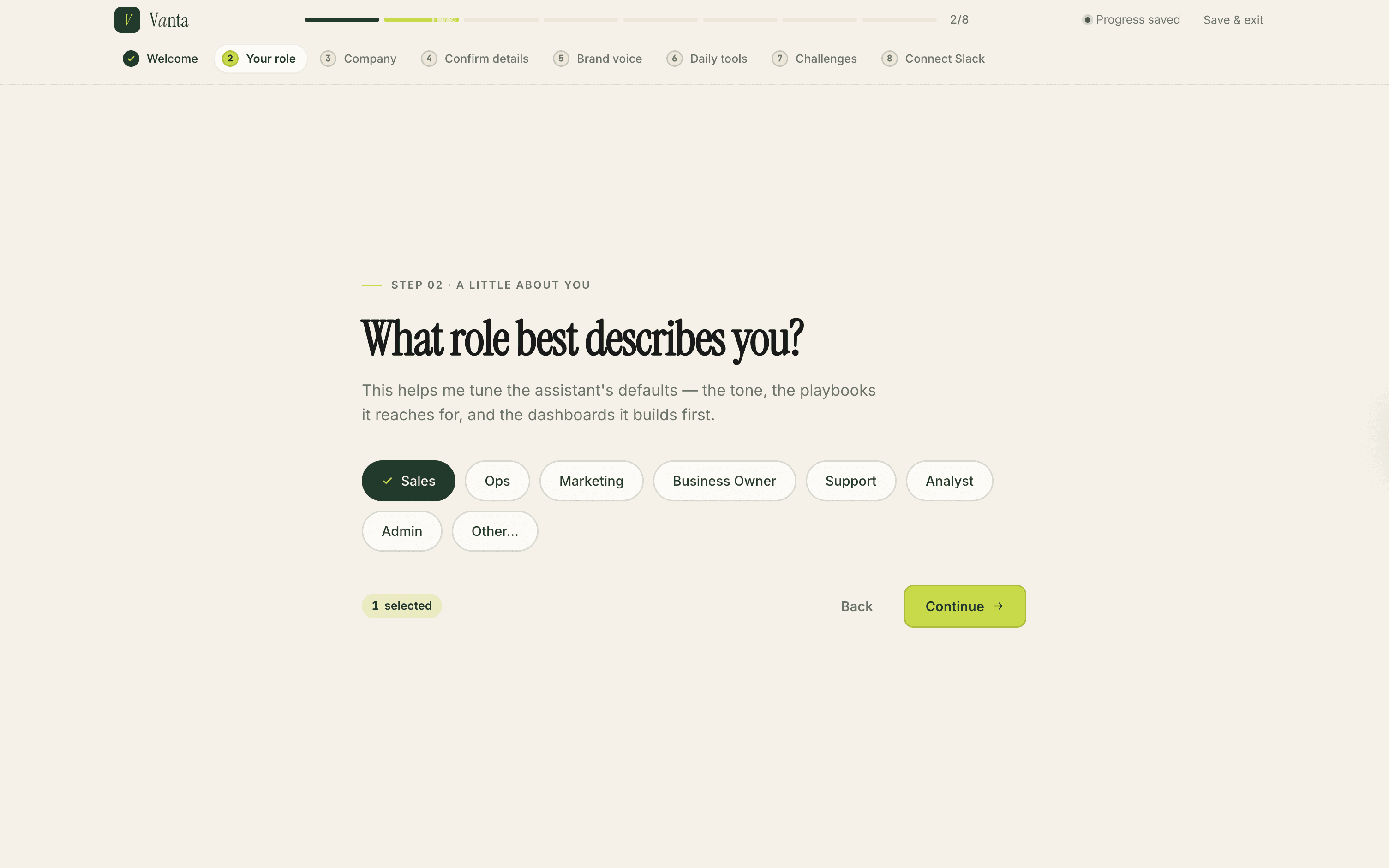
An AI assistant is only as good as the context it has. A generic product tour would have left the dashboard hollow on day one.
I designed onboarding as context-gathering, not a feature walkthrough.
Role tunes the defaults. Website URL lets the AI read public pages and learn how the company talks about itself. The user confirms and edits the extracted context, it's the foundation everything else sits on.
Daily tools and pain points close the flow. The assistant proposes integrations for what's already in use, and prioritises automations around the top frustrations.
By the time onboarding ends, the AI isn't starting from zero.
Measurable outcomes
5 / 5
participants completed onboarding without intervention in moderated usability testing
100%
task completion rate on locating grower activity via the Activity Log
4.6 / 5
average rating for dashboard clarity and usefulness of AI-surfaced items
Unprompted
"This is what I've been trying to do manually for two years", consistent feedback across sessions
Designing for AI requires different trust conventions than traditional UI. Every AI suggestion on screen had to earn its place twice: once by being useful, and once by being accountable. Traceability, source links, edit controls, these weren't features added at the end. They were the substrate the product sat on.
The data source was part of the design problem. Designing the dashboard without understanding the Slack channel structure would have produced something beautiful and useless.
MVP scope discipline protected research integrity. The broader vision was tempting to design for immediately, but keeping the MVP focused on the internal dashboard meant real validation with real users.
If I did it again, I'd push harder on post-launch metrics. Usability testing is valuable but not a substitute for production data.
[ FREQUENTLY ASKED ]